


Product – More Access, Clearer Diagnostics
Diagnostics Update
- By Dennis Krieger
Data & Diagnostics
This release puts more of the platform directly in your hands. The new Data feature is now available to every user, and the Diagnostic Report now shows the checks that passed — not just the problems — alongside a new optional Equipment Labels column in Diagnostics.
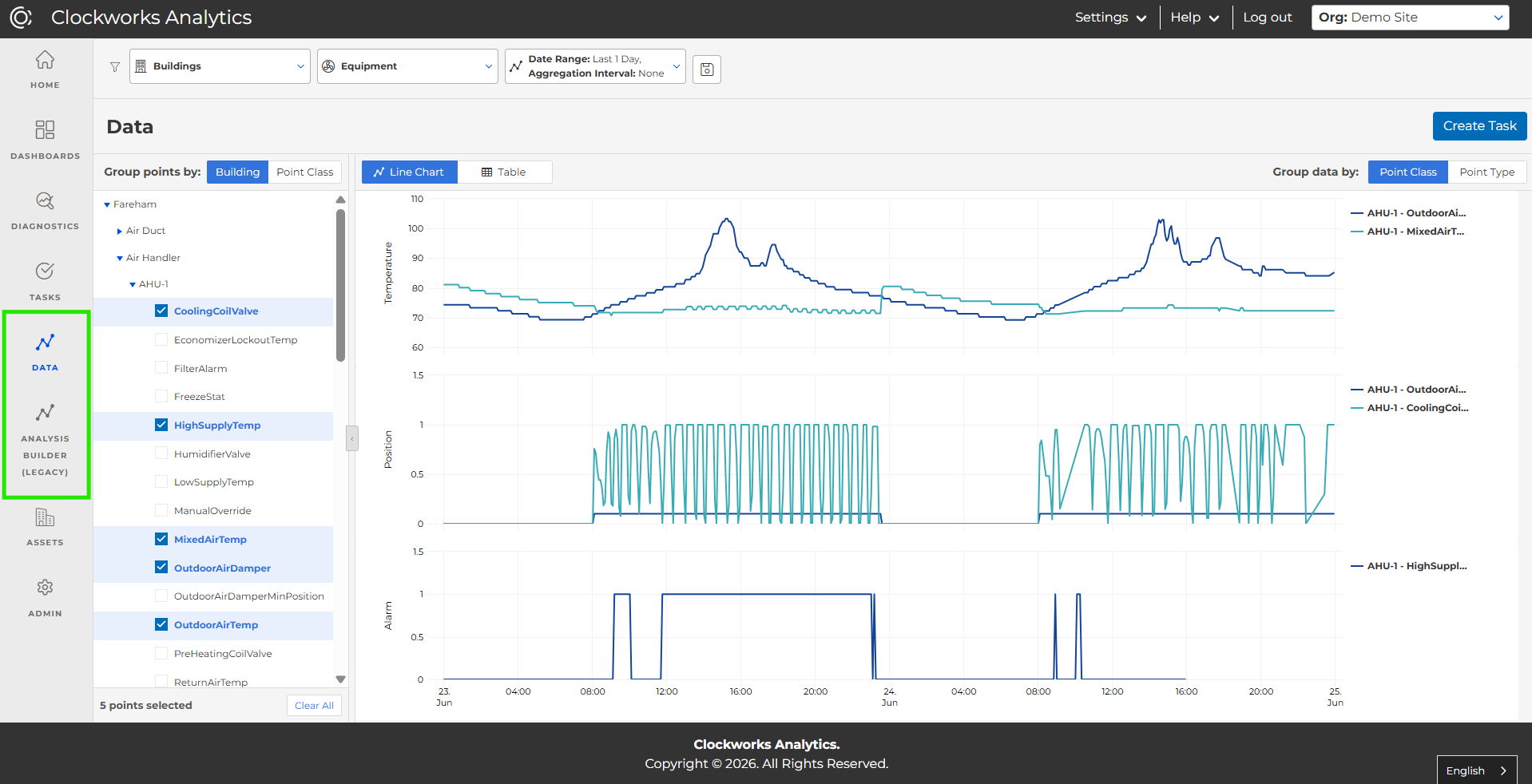
Data, now available to all users:
We’ve removed the “preview access” requirement for the new Data feature. Every standard user now has it, and all “View Raw Data” links route to the new module — faster, direct access to the BMS data behind your results.
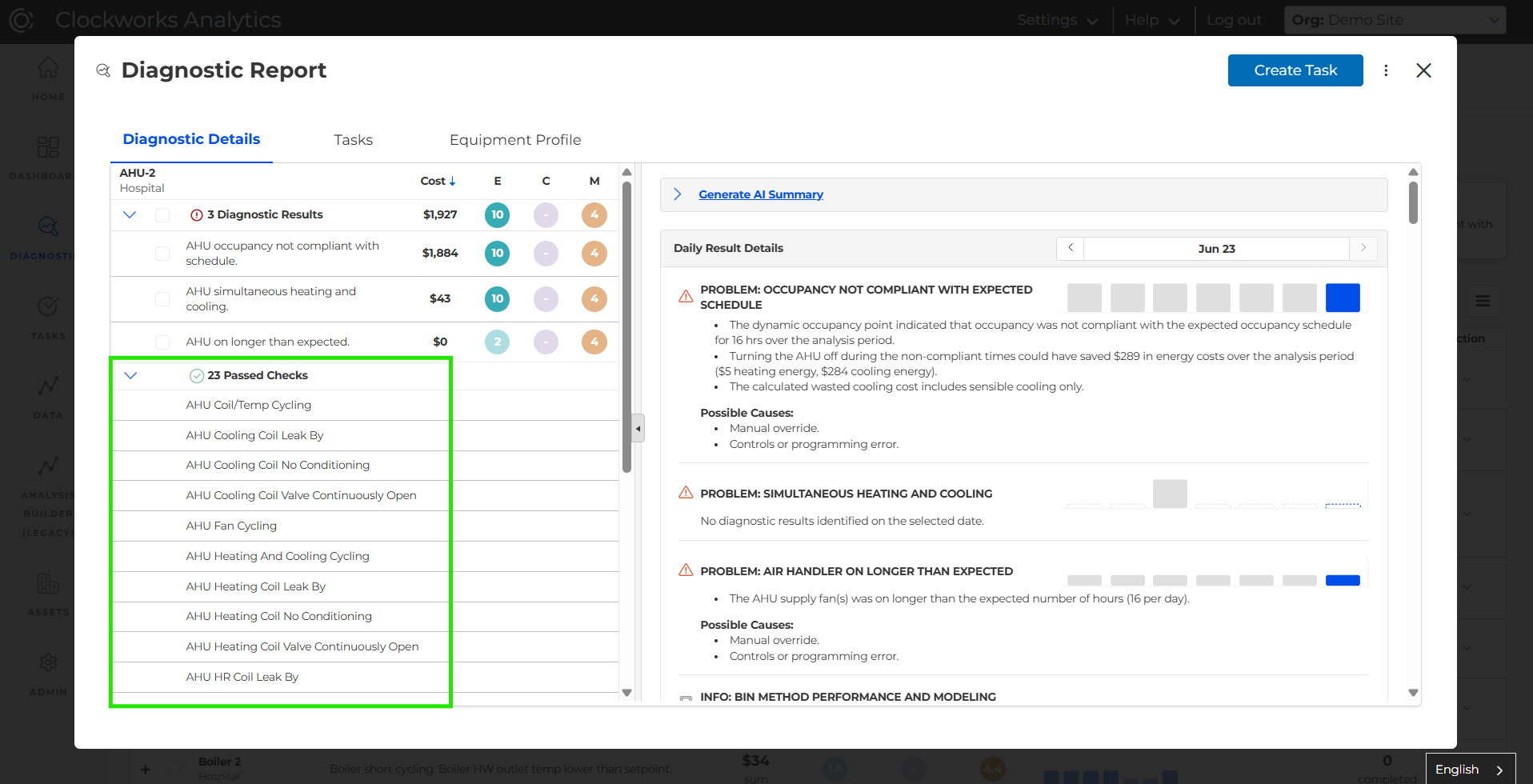
Passed Checks in the Diagnostic Report
You can now view the full list of passed checks inside the Diagnostic Report — the analyses that ran successfully without finding a problem or opportunity. It’s a clearer, more complete picture of exactly what was evaluated and what’s running clean.
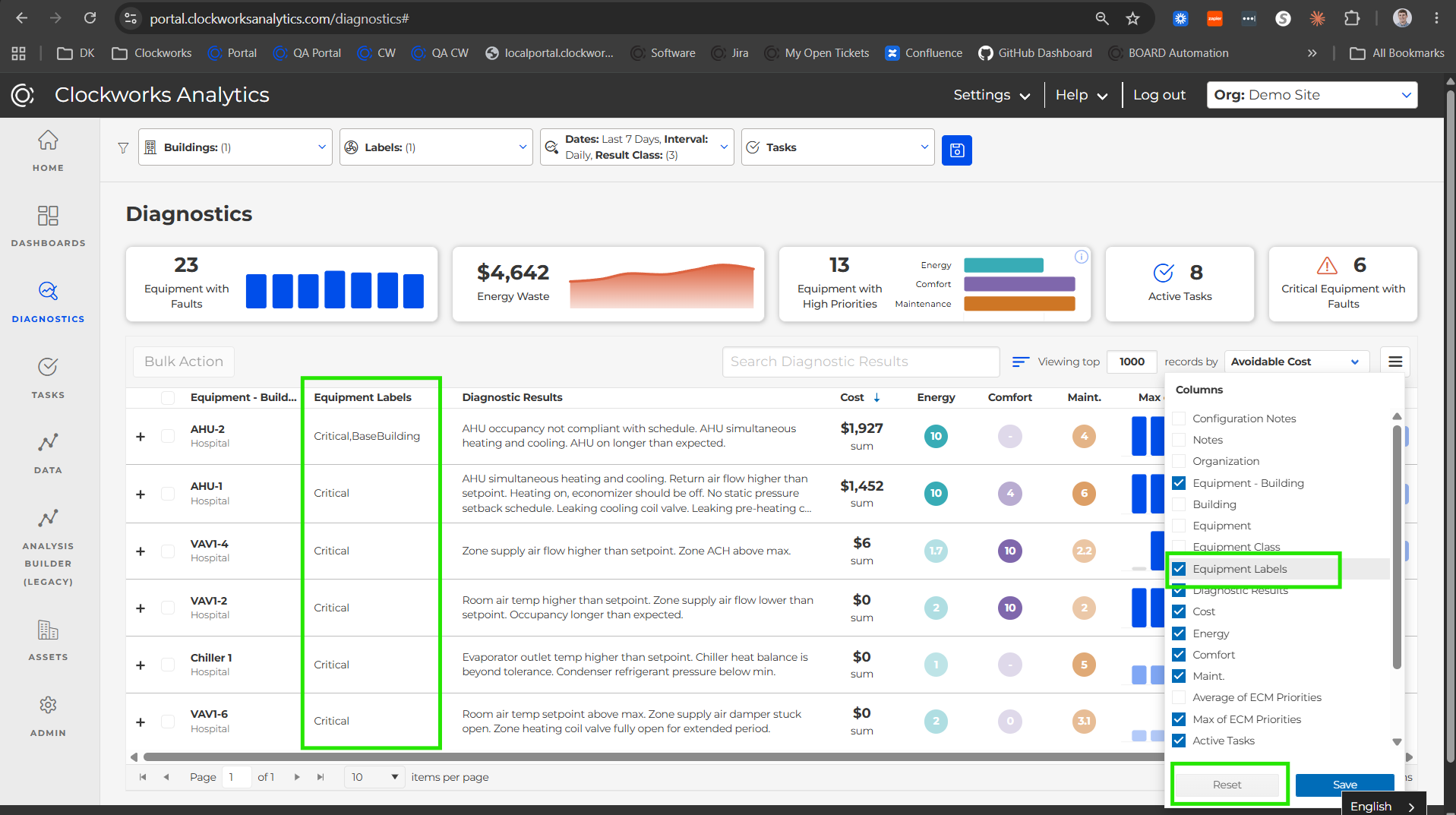
Equipment Labels in Diagnostics
Add an Equipment Labels column to your Diagnostics table straight from the Choose Columns menu. (Open Choose Columns and hit “Reset” to pull in the new option.) Now you can scan and sort diagnostics by your own equipment naming.
Share the Post:
Related Posts

Meet Sprocket AI Chat: Ask Your Buildings Anything
October 7, 2026