


Task Modal Redesign and Task Validation
Tasks & Data Update
- By Dennis Krieger
Tasks & Data
We’ve redesigned the task modal, and a new summary widget helps you validate completed work.
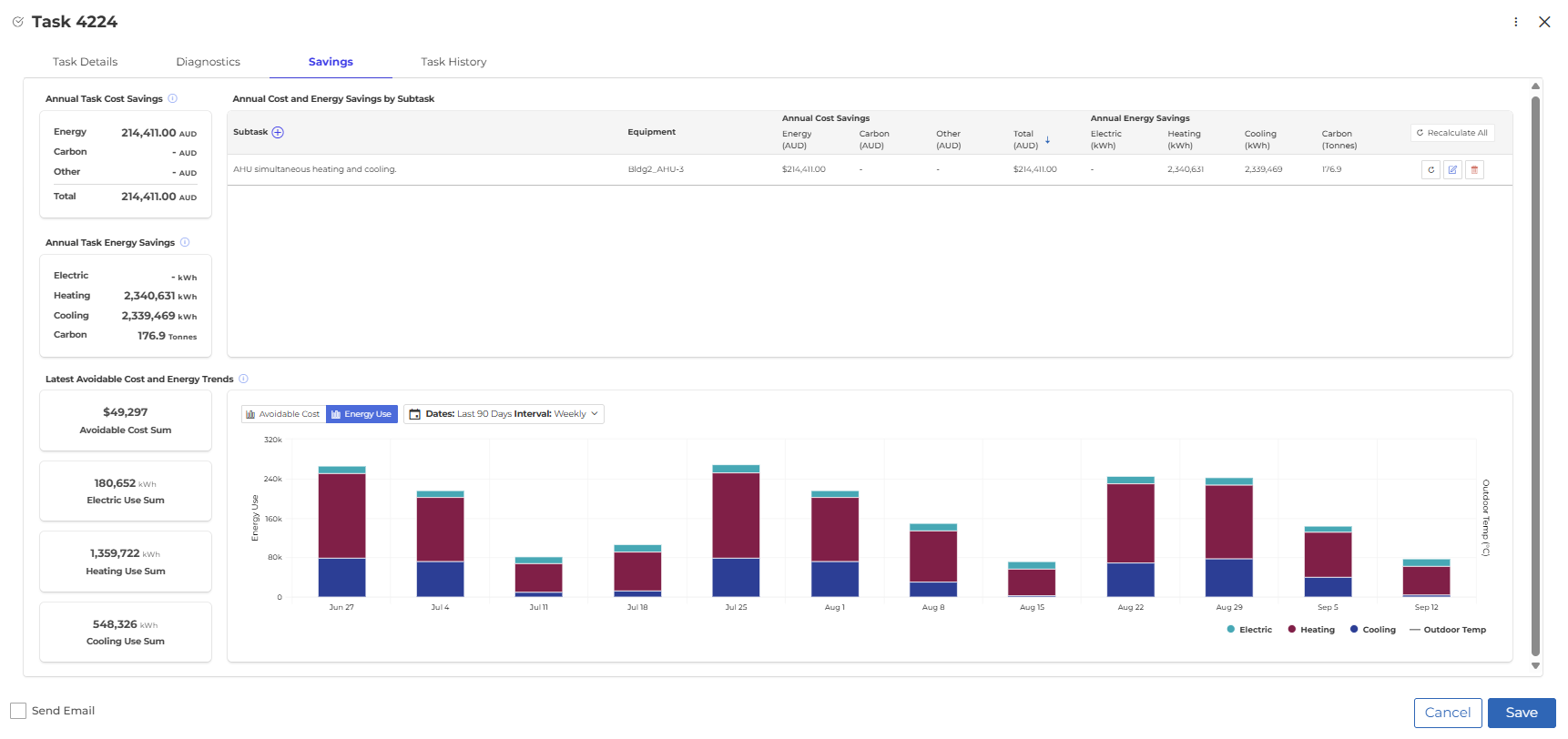
A redesigned task modal:
When you open a task, you’ll see a new design with tabs for Task Details, Diagnostics, Savings, and Task History.
- Diagnostics: see the specific faults you’re trying to act on, or open the view up to see everything else happening on that piece of equipment. Switching between the two is one click away.
- Savings: a breakdown of savings across all the faults associated to the task. Edit savings directly, recalculate savings across the entire task, and validate them with trends of avoidable cost and energy use over time.
- Task History: if there’s been a previous task on this equipment, you’ll see it here as a reference for new work.
Validate completed tasks:
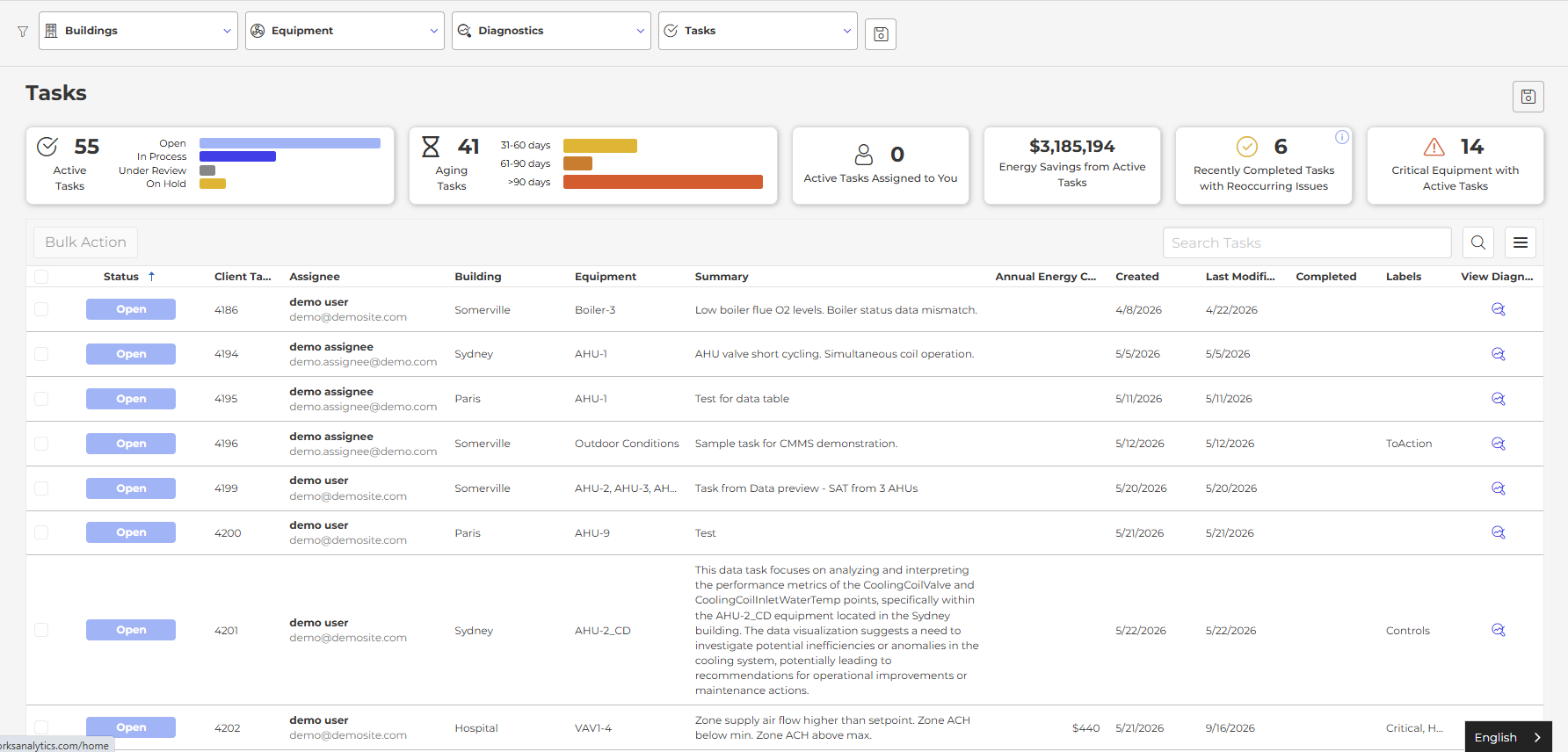
A new summary widget above the Task table shows recently completed tasks (last 90 days) that still have diagnostics occurring. One click filters the table to those tasks, and the new task modal takes you straight to the associated diagnostics.
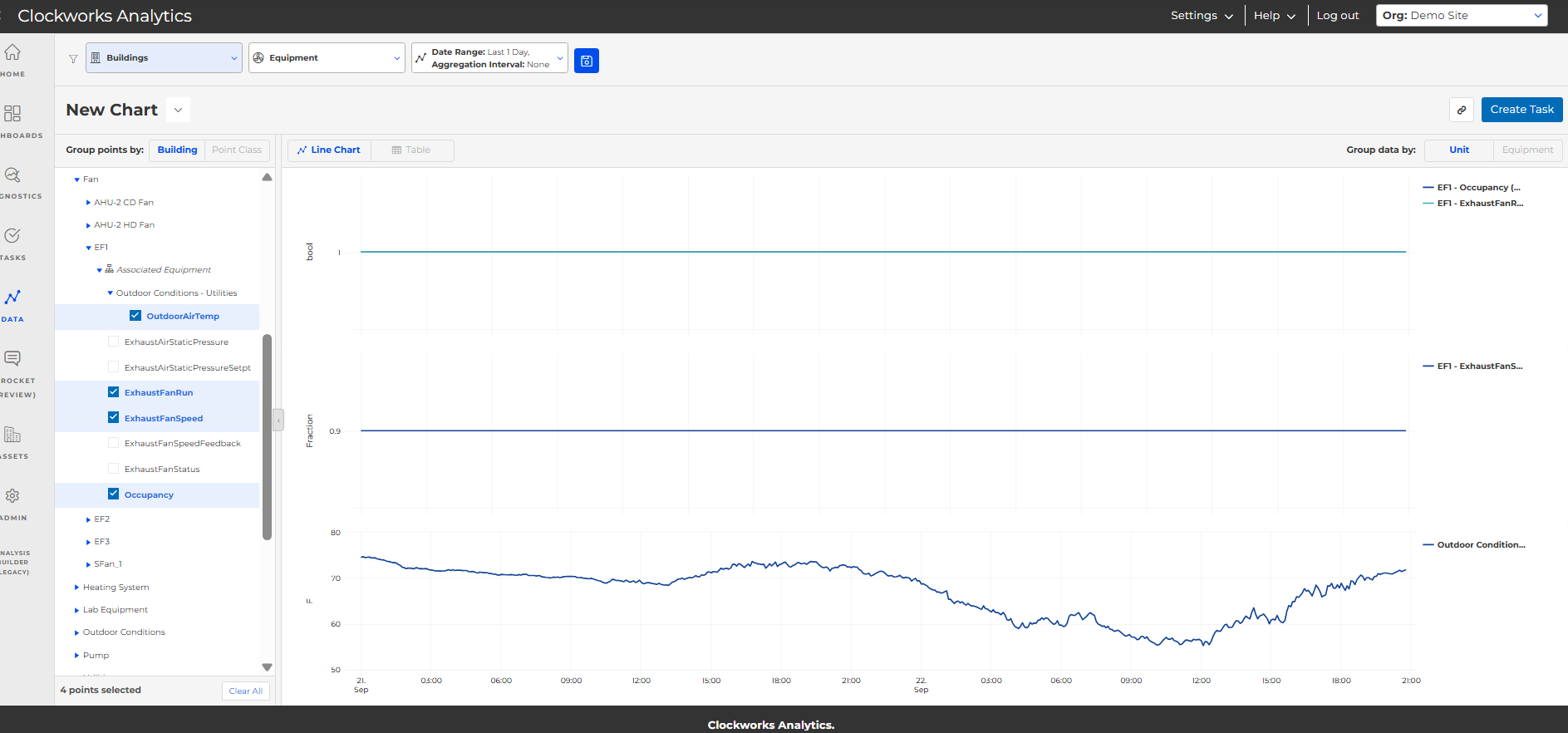
Associated equipment points in Data:
The Data feature now shows associated equipment points.
Share the Post:
Related Posts
Client Summit 2026 Recap: Pitchfest, FDD Awards, and Sprocket
October 8, 2026